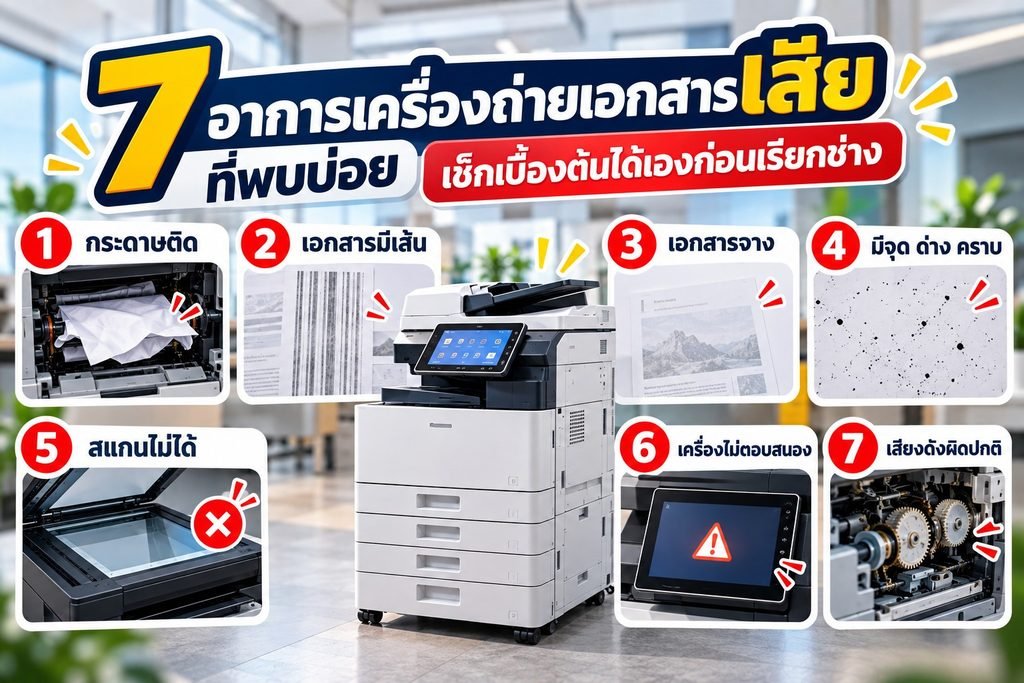

Copiers have parts that need replacing at regular intervals. Replace them too early and you waste money; leave them too long and print quality suffers, which can even damage other parts. This article explains when to replace toner, drums, fusers and rollers, and how to keep track of replacement cycles.
Lifespan is measured in “pages”, not months
Most copier consumables and parts have a lifespan rated as a page count (yield), for example how many pages one toner cartridge can print at 5% coverage per page. This figure varies by brand and model; check the part’s specifications or ask your supplier, then compare it with the page counter in the machine’s menu.
Good to know: if you print pages with heavy ink coverage, such as photos, tables or full-page colour backgrounds, the actual page yield will be lower than specified.

Parts that need regular replacement
| Part | Function | Signs it’s time to replace |
|---|---|---|
| Toner | Forms the image on the paper | The machine warns that toner is low; faded bands on prints |
| Drum / imaging unit | Receives the image and transfers toner onto the paper | Repeating dots or lines, grey background, faded prints even after replacing toner |
| Fuser unit | Bonds the toner firmly to the paper | Toner rubs off, wrinkled paper, repeating marks, machine warnings |
| Paper feed rollers | Feed paper into the machine | Frequent jams, multiple sheets fed at once, or paper not feeding |
| Cleaning unit / blade | Wipes excess toner off the drum | Lines or toner smudges on prints |
How to plan part replacements without interruptions
- Record the page counter every month – so you know your actual usage and can predict replacement cycles accurately.
- Keep one spare toner – for heavily used machines, so work never stops while waiting.
- Replace parts when the machine warns you – most newer models display a message when a part is nearing the end of its life.
- Record the date and counter reading for each replacement – this shows whether each batch of parts is giving you real value.
- Don’t wait for a breakdown – a worn drum or fuser can damage other parts as well.
If you rent a copier, do you have to handle this yourself?
If you rent a copier from a provider whose contract includes consumables, the provider takes care of replacing toner, drums and parts. You simply let them know when the machine shows a warning – no need to keep stock or calculate replacement cycles.
Mahachaicopy offers copier rental with consumables covered for the entire contract term, and also sells toner, drums, fusers and parts organized by brand and model for customers who own their machines.
Talk to our team
For questions about copiers, rentals, parts or consumables, contact us via LINE @mhcthailand or call 088-644-4855 (Mon–Sat, 08:30–17:30), or fill in the quotation request form on our website. We serve Bangkok, Samut Sakhon, Samut Songkhram and Nakhon Pathom.